VISE
Getting started
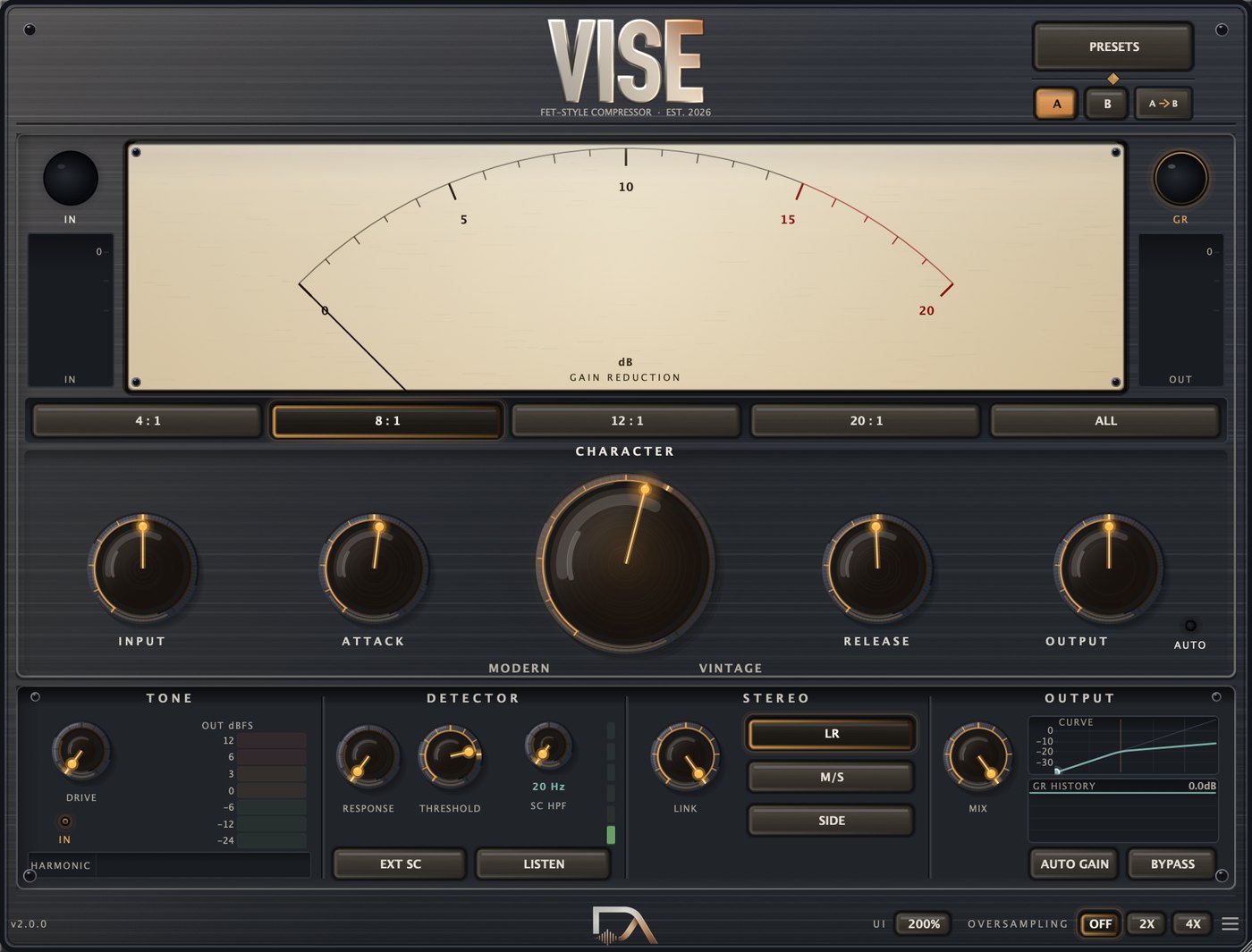
Vise is a FET-style compressor in the 1176 idiom - fast, coloured, and built around the controls that style of compressor is known for. It has not been measured against any hardware unit, and does not claim to sound like one. It is aggressive when you push it and close to invisible when you do not.
It installs as an Audio Unit and a VST3. On macOS they land in
/Library/Audio/Plug-Ins/Components and /Library/Audio/Plug-Ins/VST3.
Restart your host after installing so it rescans.
The window opens at 920 × 700 and resizes from 70% to 150% - drag the bottom-right corner, or use the UI button in the footer for exact steps. It fits a 1080p laptop screen under host chrome at every size up to 125%.
The main controls
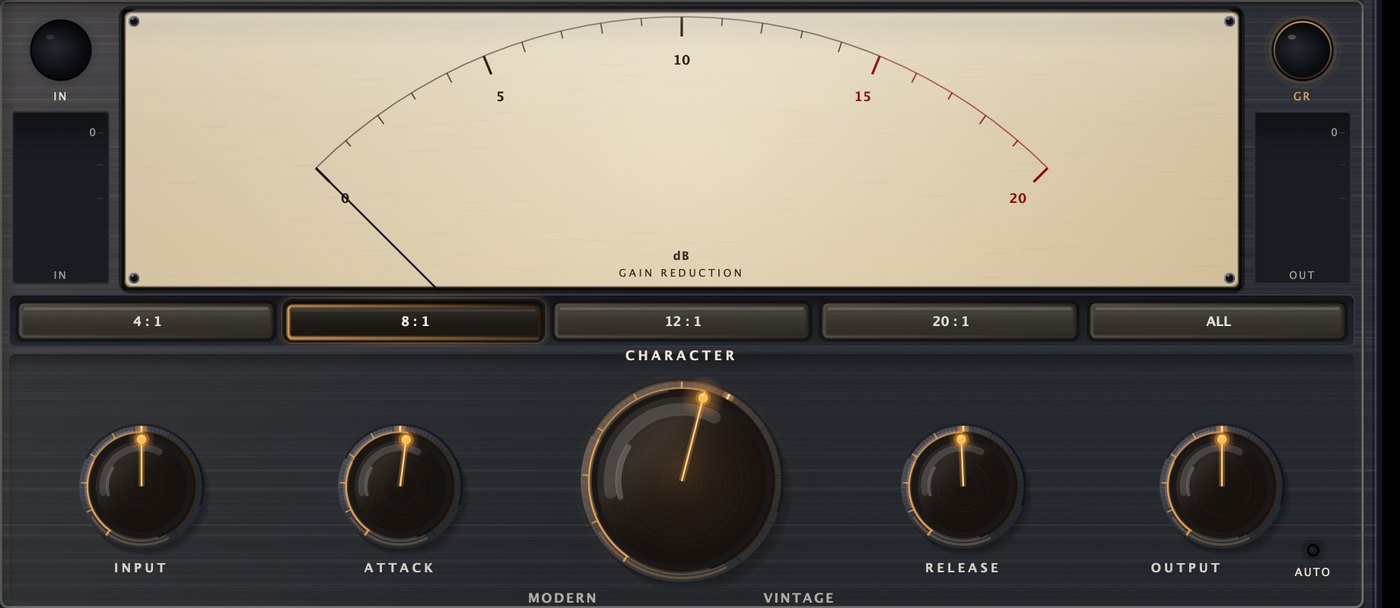
INPUT drives the compressor. On this kind of unit input gain is how you set compression depth: there is a threshold control as well, but turning INPUT up is the idiomatic move and the one the presets assume.
ATTACK is how fast it clamps down, from 0.02 ms to 30 ms. Fast catches transients and flattens them; slow lets the stick or the pick through before the gain moves. On a snare, a deliberately slow attack is what gives you crack.
RELEASE is how fast it lets go, 20 ms to 1200 ms. Short releases pump and breathe; long ones ride level without drawing attention.
OUTPUT is make-up gain, ±24 dB.
The ratio strip is 4:1, 8:1, 12:1, 20:1 and ALL. ALL is named after the all-buttons-in trick, where engineers pressed every ratio button at once on purpose. In Vise it is a mode of its own: a wider knee, a slower effective attack and considerably more harmonic content.
The big meter shows gain reduction in dB. The IN and GR lamps beside it switch what the needle reads. The two thin bars underneath them are input and output level in dBFS, labelled IN and OUT.
CHARACTER - the one control you cannot guess
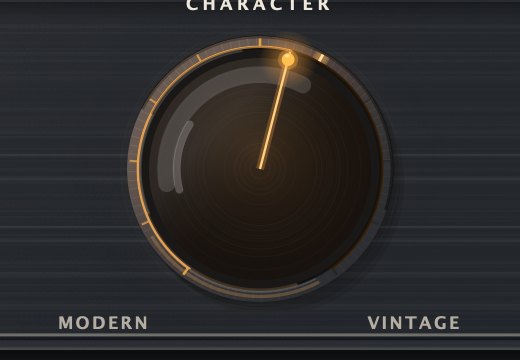
Every compressor has to decide where its detector listens. CHARACTER blends between the two answers.
- Modern (fully left) is feedforward: the detector watches the incoming signal and applies gain reduction based on what is about to happen. Precise, predictable, and it catches everything.
- Vintage (fully right) is feedback: the detector watches the compressor's own output. Because the thing it is measuring has already been reduced, the loop settles rather than snaps. The grip is looser and transients round off.
Anywhere in between is a blend of the two. There is no right setting - Modern for control, Vintage for feel, and most of the factory presets sit between 0.35 and 0.85.
Detector and sidechain
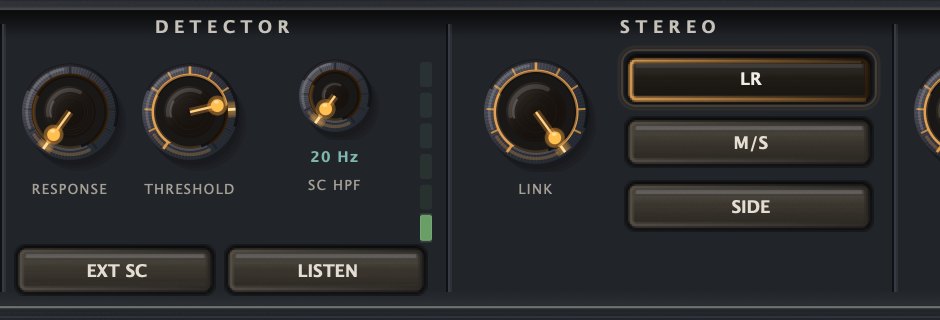
THRESHOLD is the level above which compression starts, −60 to 0 dB.
RESPONSE sets what the detector reacts to. Peak catches every transient; RMS follows average loudness and rides more gently. Anywhere between is a blend.
SC HPF is a high-pass filter on the detection path only - 20 Hz to 500 Hz. It does not filter your audio. It stops low frequencies from driving the compressor, which is what you want on a full mix or a bass-heavy source where the kick would otherwise duck everything every beat. The LED ladder beside it shows roughly where it is set.
LISTEN monitors the detection signal, so you can hear exactly what the SC HPF is removing before you commit.
EXT SC switches detection to an external sidechain input. Route another track to Vise's sidechain bus and this track will duck under it - the standard way to get a bass out of the way of a kick. If nothing is routed, Vise falls back to the track's own signal, so the button is safe to leave on.
Output, mix and AUTO GAIN

MIX blends the compressed signal back against the dry one, latency-compensated, for
parallel compression. At Dry the output is the untouched input.
AUTO GAIN gives back the gain reduction it is applying, so the compressed signal sits near the bypass level and you can judge tone instead of loudness. It tracks the reduction actually being applied and smooths it over about 300 ms, so it does not pump.
DRIVE in the TONE bay pushes the FET stage harder for harmonic colour. The IN lamp beneath it switches that saturation in or out. DRIVE sits after the detector, so it changes the colour of the sound, not how hard Vise compresses. The HARMONIC strip shows how much colour is being added.
LINK in the STEREO bay sets how much the two channels share gain reduction. At 100% they move together and the stereo image stays put; lower and they can breathe apart. LR, M/S and SIDE choose what gets compressed - left/right as normal, mid and side separately, or the side channel only.
Oversampling
OFF, 2X and 4X in the footer set how far above the sample rate the saturation and gain stages run. Oversampling reduces the aliasing that any nonlinearity produces; it costs CPU and a little latency.
Measured latency at 48 kHz: 0 samples at OFF, 2 samples at 2X, 3 samples at 4X - 0.06 ms at worst, which your host compensates automatically. There is no reason to avoid it on a mix you are printing; leave it OFF while tracking if CPU is tight.
Presets
The PRESETS button holds 23 factory presets grouped by source, plus Save,
Delete and Init. User presets are saved to
~/Library/Analog Productions/Vise/Presets and appear underneath the factory ones.
A and B hold two independent settings so you can compare; A→B copies the current one into the other slot.
Utility
| Preset | What it is for |
|---|---|
| Init Flat | Everything neutral with the threshold out of the way. Vise passing audio through. |
| Saturation Only | Threshold parked at 0 so nothing compresses - just the FET stage colouring the signal. Ride DRIVE. |
Vocal
| Preset | What it is for |
|---|---|
| Vocal Leveler | Steady hand on a lead vocal. Medium attack keeps consonants, RMS-leaning detection rides the body. |
| Vocal Aggressive | Fast and forward. Grabs every syllable - for a take that needs to sit on top of a dense mix. |
| Vocal Parallel | Crushed underneath, blended back at 45%. Density without losing the original dynamics. |
| Spoken Word | Gentle and slow for dialogue or voiceover. Enough to even out a read, not enough to hear working. |
Drums
| Preset | What it is for |
|---|---|
| Drum Smash | A hard, fast squeeze for a drum bus. Fast attack, 8:1, and enough drive to hear the colour. |
| Parallel Punch | New York compression. Hard 12:1 underneath at 40% blend - weight without flattening the kit. |
| Snare Crack | Attack deliberately slow so the stick gets through, then clamps the ring behind it. |
| Room Crush | All buttons in on a room mic. Everything arrives at once and the decay comes up to meet you. |
| Kick Tighten | Slow enough to let the beater through, SC HPF down at 30 Hz so the fundamental does not drive it. |
Bass
| Preset | What it is for |
|---|---|
| Bass Tightener | Holds a bass in one place without choking the low end. SC HPF at 45 Hz keeps the detector off the fundamental. |
| Bass Grind | Heavy DRIVE for harmonics that help a bass read on small speakers. |
| DI Level | Slow and RMS-leaning for a clean DI. Evens out playing dynamics before anything else in the chain. |
Guitar / keys
| Preset | What it is for |
|---|---|
| Strum Control | Evens out an acoustic or clean electric without dulling the pick. |
| Amp Glue | Slow and forgiving across an amp or keys bus. Vintage detection loosens the grip on sustain. |
Bus / master
| Preset | What it is for |
|---|---|
| Mix-Bus Glue | A couple of dB across the whole mix. Slow attack, RMS detection, saturation switched out. |
| Master Bus Gentle | The lightest touch Vise does. 4x oversampled, stereo link eased to 90% so the image can breathe. |
| M/S Wide Glue | Mid/Side with the link eased right down, so the centre and the sides compress on their own terms. |
| Side Tame | Side-only. Holds down wide reverb and stereo synths without touching what is up the middle. |
Sidechain
| Preset | What it is for |
|---|---|
| Kick Sidechain Duck | Route a kick to the sidechain input and this ducks the track under it. EXT SC is already on. |
| Pump Pad | The same trick pushed until you can hear it breathe. Long release is what makes the pump musical. |
Extreme
| Preset | What it is for |
|---|---|
| All Buttons | ALL mode pushed hard: wide knee, slow attack and heavy harmonics. Wildly nonlinear. |
Parameter appendix
Every parameter the plugin exposes to your host, with the range and default as the build itself reports them. This table is generated from the shipping plugin's own parameter list, so it cannot drift from the software.
Hero row
| Control | ID | Range | Default |
|---|---|---|---|
| Input | input | -24.0 dB → 24.0 dB | 0.0 dB |
| Attack | attack | 0.02 ms → 30.0 ms skew 0.40 | 1.0 ms |
| Character | character | Modern → Vintage | Modern |
| Release | release | 20 ms → 1200 ms skew 0.40 | 100 ms |
| Output | output | -24.0 dB → 24.0 dB | 0.0 dB |
Ratio
| Control | ID | Range | Default |
|---|---|---|---|
| Ratio | ratio | 4:1, 8:1, 12:1, 20:1, All Buttons | 4:1 |
Tone
| Control | ID | Range | Default |
|---|---|---|---|
| Drive | drive | 0 % → 100 % | 0 % |
| Drive In | driveIn | Off → On | On |
Detector
| Control | ID | Range | Default |
|---|---|---|---|
| Response | response | Peak → RMS | Peak |
| Threshold | threshold | -60.0 dB → 0.0 dB | -20.0 dB |
| SC HPF | scHpf | 20 Hz → 500 Hz skew 0.40 | 20 Hz |
| SC Listen | scListen | Off → On | Off |
| Ext Sidechain | extSc | Off → On | Off |
Stereo
| Control | ID | Range | Default |
|---|---|---|---|
| Stereo Link | stereoLink | 0 % → 100 % | 100 % |
| Stereo Mode | stereoMode | LR, M/S, Side | LR |
Output
| Control | ID | Range | Default |
|---|---|---|---|
| Mix | mix | Dry → Wet | Wet |
| Auto Gain | autoGain | Off → On | Off |
| Bypass | bypass | Off → On | Off |
Quality
| Control | ID | Range | Default |
|---|---|---|---|
| Oversampling | oversampling | Off, 2x, 4x | Off |